Last updated: September 22, 2026
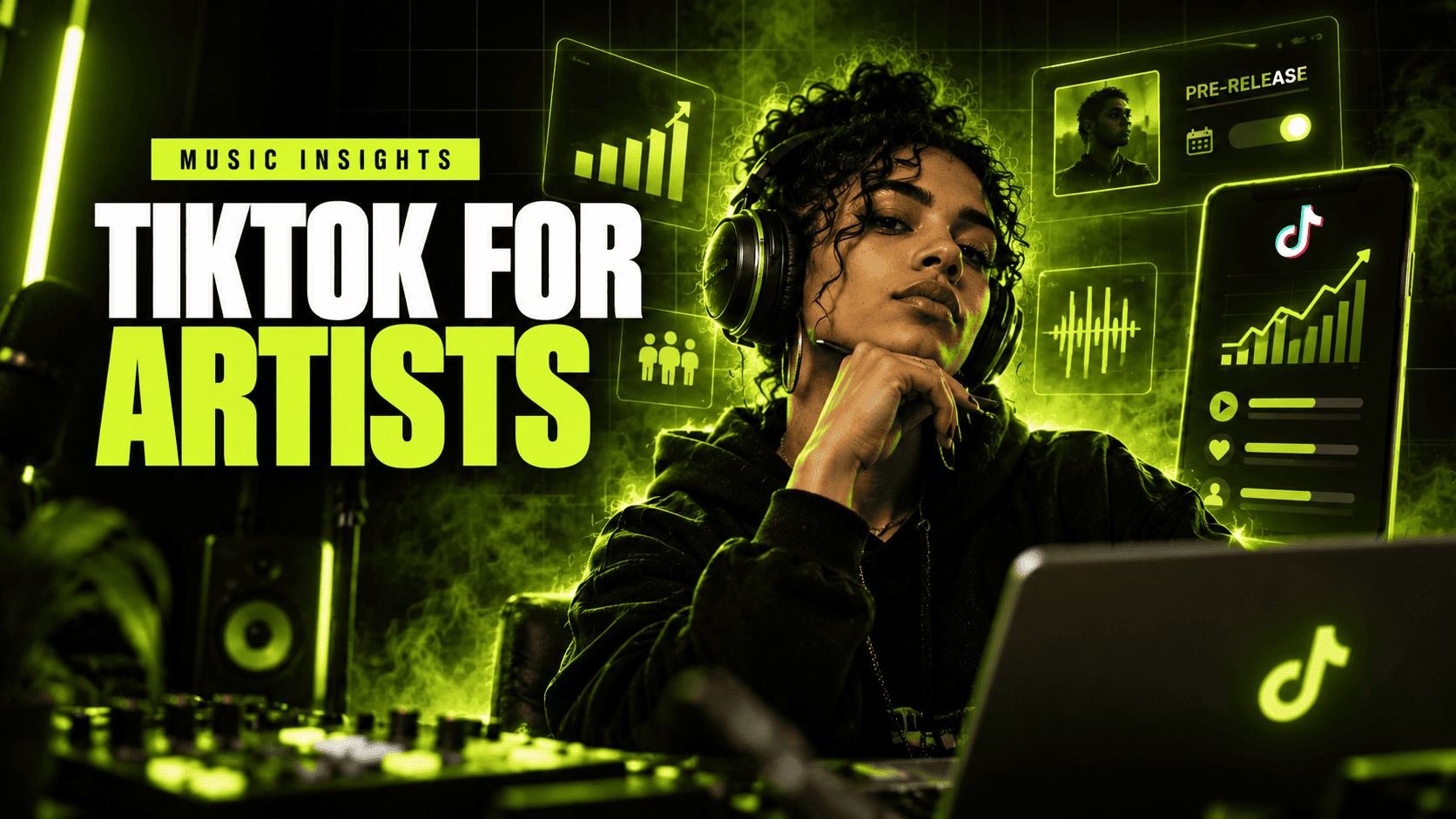
TikTok for Artists is one of those tools that looks almost too simple when you first open it. There are charts. There are song numbers. There is follower data. There is a Pre-Release button.
But for an independent musician, the interesting part is not the dashboard itself.
The interesting part is that TikTok is finally giving artists a clearer view of what happens between somebody hearing 12 seconds of a song and becoming interested in the artist behind it.
If you release music and use TikTok seriously, I would set this up before spending another week trying to guess whether a video “worked.”
This guide explains what TikTok for Artists is, who is eligible, how to get a TikTok Artist Account, what the analytics actually tell you, how Pre-Release works, how the Music Tab is connected to your catalog, and what I would do with all of it during a real release campaign.
Short version: get your Artist Account claimed first, connect your music correctly, activate TikTok for Artists, then use song-level data to decide what content deserves another version. Do not treat the dashboard as another place to admire view counts.
- What is TikTok for Artists?
- Artist Account vs TikTok for Artists
- TikTok for Artists eligibility
- How to set up TikTok for Artists
- TikTok for Artists analytics
- How TikTok Pre-Release works
- How to set up your Music Tab
- My release workflow
- Common problems
- FAQ
What is TikTok for Artists?
TikTok for Artists is TikTok's music analytics and promotion platform for artists, artist teams and labels.
TikTok launched the platform globally in 2025 and described it as an artist-focused system for understanding the performance of your music, your own posts and your followers.
The important word there is music.
Normal TikTok analytics can tell you whether one of your videos received views, likes or shares. TikTok for Artists adds another layer: how individual tracks are moving across TikTok, including activity created by other TikTok users.
According to TikTok, the platform includes:
- song performance data;
- post performance data;
- follower insights;
- guides for using TikTok's artist tools;
- team access;
- Pre-Release campaign tools.
TikTok says these dashboards are updated daily.
That matters because musicians do not really have one TikTok funnel.
You have at least three.
- People watch your content.
- People encounter your song inside somebody else's content.
- People become interested enough to explore the artist, use the sound, save the release or listen somewhere else.
TikTok for Artists gives you more visibility into the first two stages.
For a broader strategy around turning TikTok discovery into listeners, read JamFeed's TikTok for Musicians guide.
TikTok Artist Account vs TikTok for Artists: they are not the same thing
This is probably the most confusing part of the entire system.
A TikTok Artist Account is your artist identity inside TikTok.
TikTok for Artists is the separate analytics and campaign platform you can access after your artist identity has been certified.
Think about it like this:
| Product | What it does |
|---|---|
| TikTok Artist Account | Connects your TikTok profile to your identity and music catalog as an artist. |
| Artist Tag | Identifies your profile as an artist when eligible. |
| Music Tab | Displays your music catalog from your Artist Account. |
| TikTok for Artists | Provides deeper song, post and audience analytics plus campaign tools. |
| Pre-Release | Lets eligible releases collect pre-saves for supported streaming services. |
If somebody tells you to “turn on TikTok for Artists” but your music is not correctly associated with your TikTok profile yet, they have skipped a step.
Who is eligible for TikTok for Artists?
The main requirement published by TikTok is straightforward:
You need a certified TikTok Artist Account.
You do not need to be a superstar.
TikTok specifically positioned TikTok for Artists as a product for artists at different stages of their careers, and independent musicians can use Artist Accounts as long as their music and artist identity can be properly connected.
Availability can still depend on country, account and feature rollout, so I would never build a release campaign around one TikTok feature until I can physically see it inside the account.
Do you need a certain number of followers?
TikTok's public TikTok for Artists launch requirements do not specify a minimum follower count.
The central requirement is the certified Artist Account.
This is important for smaller musicians because it means you should not wait until you have 10,000 or 100,000 followers before organizing your artist identity properly.
Do you need four songs?
There is a useful distinction here.
When TikTok originally introduced Artist Accounts, it said an artist needed four uploaded songs to qualify for the Artist Tag.
I would not automatically interpret that sentence as “every TikTok music feature always requires exactly four songs.” TikTok changes products and eligibility rules independently.
Check the Artist Hub inside your own account for the requirement TikTok applies to you now.
Does your music need to already be on TikTok?
In practice, your music needs to exist inside TikTok's music ecosystem so TikTok can match the catalog to the correct artist.
For independent artists, that normally means delivering releases to TikTok through a distributor that supports the platform.
If your track exists under the wrong artist profile or the metadata is inconsistent, fix that before worrying about analytics.
Bad catalog mapping creates bad measurement.
How to set up TikTok for Artists
I would do this in two stages.
Step 1: Claim or activate your TikTok Artist Account
TikTok's current creator tools place artist features inside TikTok Studio, although interface names can vary between accounts and regions.
A commonly documented path is:
- Open TikTok and go to Profile.
- Open the Menu.
- Select TikTok Studio.
- Look under More tools for Artist Hub or TikTok for Artists.
- Select Apply or Claim Artist.
- Search for your artist name in TikTok's music catalog.
- Select the correct artist profile.
- Complete TikTok's ownership verification process.
You may be asked to provide evidence that you control the artist profile or distribution account associated with the music.
Your exact screens may be different. TikTok changes interface labels regularly, and distributors sometimes provide their own artist-account claiming route.
Step 2: Register for TikTok for Artists
Once your Artist Account is certified, go to artists.tiktok.com.
Sign in with the TikTok account associated with the artist.
Complete the registration flow and connect the artist profile when prompted.
If you have a manager, marketing person or label team, TikTok also allows artists to share access so the people working on the campaign can review the data without sharing the artist's personal login.
I strongly prefer that approach.
Password sharing becomes a mess surprisingly fast.
What analytics do you get inside TikTok for Artists?
TikTok divides the useful data into three broad groups:
- song performance;
- post performance;
- follower insights.
They answer different questions.
1. Song performance analytics
TikTok says song-level reporting can include:
- song views;
- number of posts created using the track;
- creator engagement connected with the track.
This is the section I would watch most closely during a release.
Why?
Because your own post performance tells you what happened to your video.
Song performance can tell you whether the music itself is beginning to travel.
Those are very different outcomes.
Imagine this:
Your launch video gets 420,000 views.
Great.
But almost nobody creates with the song.
Now imagine another video gets 38,000 views, but creators begin using the sound in their own posts.
I would investigate the second one very carefully.
It may indicate that the track has found a behavior, emotion or visual situation that other people know how to reuse.
2. Post performance analytics
TikTok for Artists also reports metrics for content published by the artist, including:
- views;
- likes;
- comments;
- shares;
- post completion rate.
Do not read them individually.
Read them as a sequence.
Views tell you how far the post traveled.
Completion helps you understand whether people stayed.
Shares tell you whether viewers found something worth sending somewhere else.
Comments can reveal the exact language fans use around the song.
And that language is useful.
I frequently think musicians underestimate comments as research.
If five people independently describe your track as “late-night driving music,” I would not ignore that because your internal campaign deck says the genre is “alternative electro-pop.”
Your audience may have just handed you the next content concept.
3. Follower insights
TikTok says TikTok for Artists includes follower information such as:
- self-declared gender;
- age;
- language.
I would treat this as context rather than a creative brief.
“Most of our followers are 18–24” is not an idea for a video.
It can help you understand who is gathering around the account, but the better creative clues usually come from actual viewer behavior: which song moment they replay, what they share, what they ask and what they create.
The four metrics I would compare during every release
If I wanted to keep the dashboard simple, I would create one weekly sheet with four questions:
| Signal | Question | What I would do next |
|---|---|---|
| Post completion | Which opening and song moment kept attention? | Make another version using the same core moment. |
| Shares | Which idea made somebody send the video to another person? | Repeat the emotional situation, not necessarily the exact video. |
| Posts using the song | Are creators beginning to use the track themselves? | Study what those creators have in common. |
| Profile/follower growth | Did interest in one piece of content turn into interest in the artist? | Improve pinned videos and artist positioning. |
This is much more useful than saying, “We got 870,000 views this month.”
Views without a next action are an observation.
For more on choosing useful TikTok metrics, see JamFeed's TikTok strategy for musicians and TikTok SEO for Musicians.
How TikTok Pre-Release works
TikTok's Pre-Release tool lets eligible artists promote an upcoming release before it arrives on streaming services.
Fans can pre-save through TikTok to supported streaming platforms. TikTok's official launch information names:
- Spotify;
- Apple Music.
When the release becomes available, it is added to the fan's selected streaming library.
This closes one of the most annoying gaps in social music promotion.
Without a native pre-release path, the journey often looks like this:
TikTok → profile → bio link → smart link → streaming service → pre-save.
Every extra click loses people.
A native Pre-Release experience can shorten that path.
Can you use TikTok Pre-Release for singles?
Be careful with universal answers here.
TikTok's main English launch announcement specifically describes the feature as a tool for promoting an upcoming album.
Other product documentation and distributor guidance has referred to album and EP campaigns, and feature eligibility can change.
So I would use a simple rule:
If the release appears as eligible inside your TikTok for Artists Pre-Release interface, use it. If it does not, do not build your campaign around assumptions from somebody else's account.
How I would use Pre-Release
I would not launch the Pre-Release page and immediately make ten videos saying “pre-save my album.”
The order should be:
- Find which part of the song earns attention.
- Repeat that creative angle.
- Explain what the release is.
- Then give interested viewers a low-friction action.
Attention first.
Conversion second.
A pre-save tool cannot make somebody care about music they did not want to hear.
For a complete timeline, JamFeed's free Music Release Campaign Planner generates a day-by-day campaign from four weeks before release through two weeks after release.
How the TikTok Music Tab works
The Music Tab is one of the most useful Artist Account features because it turns your TikTok profile into something closer to an artist discovery page.
TikTok says the Music Tab organizes an artist's catalog so fans can discover the artist's music directly from the profile.
New music can also be added automatically.
That last sentence matters.
You are not supposed to manually upload each song to the Music Tab like you would upload a video.
The catalog connection comes from TikTok's music system and the artist mapping behind your Artist Account.
Music Tab setup checklist
If I were setting up an artist from zero, I would check these in order:
- Make sure the music has been delivered to TikTok through your distributor.
- Confirm the artist name and metadata are correct.
- Find the songs inside TikTok's music library.
- Claim the correct Artist Account.
- Verify that the Artist Account is mapped to the correct catalog.
- Open the profile and inspect the Music Tab.
- Check that the main releases belong to you.
- Check again after every major release.
Do not wait until a track starts moving to discover that TikTok attached it to another artist with the same name.
Why the Music Tab matters for conversion
A viewer can arrive on your account because of:
- one performance;
- a fan-created TikTok;
- a collaboration;
- a search result;
- a trend;
- a comment reply;
- a totally unrelated personality post.
The Music Tab gives that person a very obvious answer to:
“Okay, but what music does this person actually make?”
That sounds basic.
Basic is good.
The more successful your discovery content becomes, the more important it is that somebody can understand the artist in five seconds after opening the profile.
The profile setup I would use with a Music Tab
I would design the profile as a small funnel.
Profile photo: recognizable and consistent with streaming profiles.
Name: the artist name people will search.
Bio: one sentence that tells a stranger what kind of artist they have found.
Music Tab: catalog discovery.
Pinned video 1: strongest current song.
Pinned video 2: a piece of personality or story.
Pinned video 3: performance, live proof or another entry point into the music.
The goal is not to explain your entire career.
The goal is to stop the profile visit from becoming a dead end.
The TikTok for Artists release workflow I would actually use
Here is the system I would run for an independent artist.
Three to four weeks before release
Do not sell yet.
Test.
Take the same song and build several different entry points:
- raw performance;
- strongest lyric;
- story behind the lyric;
- studio before/after;
- production breakdown;
- genre or mood framing;
- reaction from somebody hearing it;
- a problem the song solves emotionally.
If you need ideas, the broader JamFeed music promotion guide explains how to build one release across multiple discovery channels.
Two weeks before release
Look at what TikTok is telling you.
Not what you hoped would win.
What actually won.
If the stripped chorus has better completion and shares than the expensive music-video edit, make three more stripped versions.
You already paid for the music video.
That does not mean TikTok owes it distribution.
Final week
Now connect attention to the release.
- Name the track clearly.
- State the release date.
- Activate Pre-Release if the release is eligible.
- Pin the best-performing useful entry point.
- Confirm the Music Tab and catalog.
- Check every streaming destination.
Release day
Do not replace everything that worked with a generic “OUT NOW” graphic.
Keep the winning content format.
Change the call to action.
Yesterday:
“This comes out Friday.”
Today:
“The full song is out.”
The audience does not need a completely new creative strategy because midnight happened.
Seven days after release
Open TikTok for Artists and ask:
- Which track is earning creator activity?
- Which artist posts earned the strongest completion?
- Which videos were shared?
- Which comments contain repeatable audience language?
- Did the audience composition change?
- Are people making posts with the sound?
Then build Week 2 from the answers.
One experiment I would run with every song
I would take one 10–20 second section of the release and publish five different versions.
Keep the musical section mostly constant.
Change the context.
- Performance: sing or play it directly.
- Story: explain what happened before you wrote it.
- Lyric: put the strongest line on screen immediately.
- Process: show the demo versus the master.
- Audience framing: describe the exact person or situation the song fits.
Then compare them.
This is important because if you change the song, hook, video format, caption, audience framing and length every time, you learn almost nothing.
You have five unrelated TikToks.
Not an experiment.
The goal is to find the doorway into the song.
Once you find it, make the doorway bigger.
TikTok for Artists troubleshooting
My Music Tab is missing
First check whether you actually have a certified Artist Account rather than a normal creator profile.
Then confirm that TikTok has correctly mapped your artist identity and catalog.
If the music exists on TikTok but the Artist Account has not been properly connected, the songs will not magically organize themselves around the profile you happen to use.
One of my songs is missing from the Music Tab
Check the distributor first.
Confirm that:
- the release was delivered to TikTok;
- the artist name is correct;
- the track is attached to the correct artist identity;
- the release is actually live in TikTok's catalog.
If those pieces are correct and the Music Tab is still wrong, use TikTok or distributor support rather than trying to “fix” the problem by uploading the track as original video audio.
My song is attached to another artist
This is usually a catalog-mapping problem.
It is especially common when two artists have the same or similar names.
Collect the release identifiers, artist links and distributor information before contacting support. The clearer the evidence, the easier it is to explain what needs to move.
I cannot access TikTok for Artists
Check these four things:
- Is your Artist Account certified?
- Is TikTok for Artists available for your market/account?
- Are you logging into the TikTok account connected to the artist?
- Does the artist appear correctly in TikTok's music catalog?
I cannot see Pre-Release
Do not assume every release qualifies.
Availability can depend on release type, territory, catalog status and product rollout.
Use the campaign options shown inside your current TikTok for Artists account as the source of truth for that release.
The bigger reason artists should care about TikTok for Artists
The obvious benefit is better analytics.
I think the bigger benefit is better decisions.
Musicians are surrounded by numbers that feel important:
1 million views.
50,000 followers.
12,000 likes.
Those numbers are real, but they do not automatically tell you what to do tomorrow.
Good analytics should reduce the number of creative guesses you have to make.
You should be able to say:
This section of the song keeps people watching.
This version gets shared.
Creators are using this sound for breakup videos.
These people are discovering us through search.
They visit the profile but do not follow.
Now you have a problem you can work on.
That is far more valuable than “the algorithm hates us.”
TikTok for Artists FAQ
What is TikTok for Artists?
TikTok for Artists is TikTok's music analytics and campaign platform for certified artists, artist teams and labels. It provides song performance data, post analytics, follower insights and tools including eligible Pre-Release campaigns.
Who is eligible for TikTok for Artists?
TikTok says artists need a certified TikTok Artist Account. Feature and regional availability can vary, so artists should confirm eligibility inside TikTok or at TikTok for Artists.
Is TikTok for Artists free?
TikTok does not describe TikTok for Artists as a paid analytics subscription in its public launch materials. Eligible certified artists can register for access.
Do I need a certain number of TikTok followers?
TikTok's public TikTok for Artists eligibility information centers on having a certified Artist Account rather than publishing a universal minimum follower requirement.
What analytics are available in TikTok for Artists?
TikTok says artists can see song views, posts and creator engagements by track; views, likes, comments, shares and completion rates for artist posts; and follower information including age, language and self-declared gender.
How often does TikTok for Artists update?
TikTok says its TikTok for Artists analytics dashboards are updated daily.
What is the TikTok Music Tab?
The Music Tab is an Artist Account feature that organizes an artist's music catalog directly on the TikTok profile. TikTok says new music can be added automatically once the catalog is correctly connected.
How do I get a Music Tab on TikTok?
Start by claiming a TikTok Artist Account and connecting it to the correct music catalog. Once the Artist Account and catalog are properly mapped, eligible artist features such as the Music Tab can become available.
What is TikTok Pre-Release?
Pre-Release is a TikTok for Artists campaign tool that can allow fans to pre-save an eligible upcoming release to supported streaming services before release day.
Which streaming platforms work with TikTok Pre-Release?
TikTok's official product announcement lists Spotify and Apple Music.
Can my manager access TikTok for Artists?
Yes. TikTok allows artists to provide access to members of their artist or label team.
Is TikTok for Artists the same as TikTok Studio analytics?
No. TikTok Studio provides broader creator and content analytics. TikTok for Artists adds music-specific information such as track performance and creator engagement with an artist's songs.
Sources and editorial method
This guide was checked against first-party TikTok documentation and current JamFeed resources on September 22, 2026. TikTok frequently changes feature names, interfaces, eligibility and regional availability, so the controls visible inside your own Artist Account should take priority over screenshots or instructions from older tutorials.
- TikTok Newsroom — TikTok for Artists launch and analytics features
- TikTok Newsroom — Artist Account, Artist Tag and Music Tab
- TikTok Help Center — TikTok Studio and Artist Hub
- TikTok for Artists
For related JamFeed guides, see:
- TikTok for Musicians
- TikTok SEO for Musicians
- Music Promotion for Independent Artists
- Music Release Campaign Planner
JamFeed is an independent music-tech publication focused on helping musicians turn social discovery into listeners, fans and measurable audience growth.