Updated: September 2026
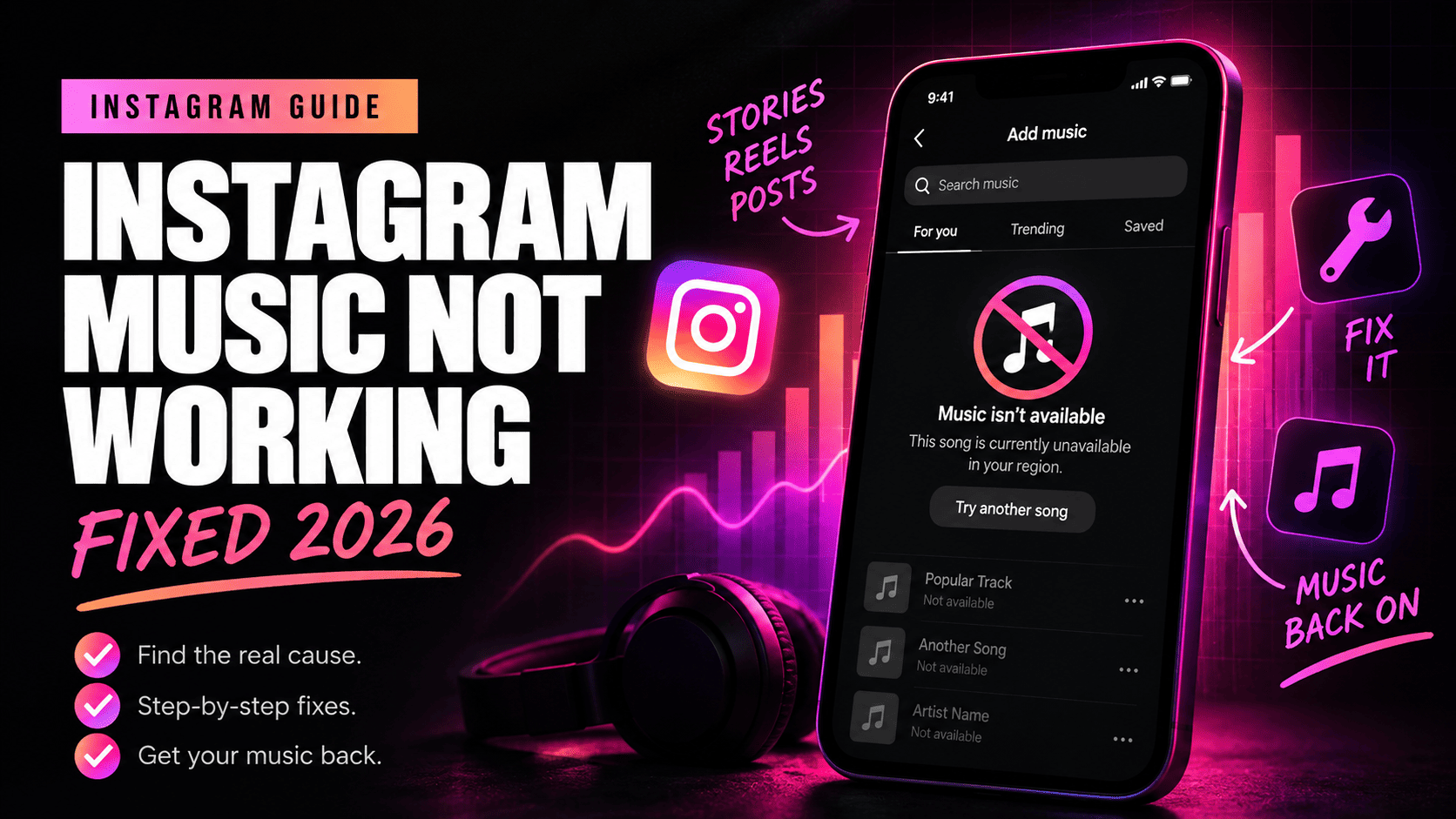
In 2026, the most common explanations are Instagram music licensing, Business account restrictions, regional availability, temporary Instagram bugs, a broken music search, an outdated app, or copyright restrictions on the audio itself.
The fastest fix is usually to identify the symptom first instead of reinstalling Instagram five times and hoping something changes.
Instagram Music Not Working: Quick Diagnosis
| What you see | Most likely cause | What to try first |
|---|---|---|
| Popular songs are missing | Business account music restrictions | Check your account type and use Sound Collection or test a Creator account |
| “Instagram music isn't available in your region” | Regional licensing or location mismatch | Disable VPN, restart Instagram and check whether the track is licensed in your location |
| Music Sticker is gone | App bug, account-specific issue or feature availability | Update Instagram and test another account on the same phone |
| Search shows random songs instead of popular music | Restricted library or Instagram music search bug | Open the song from an existing Reel and save the audio |
| “This song is currently unavailable” | The song was removed or its licensing changed | Check another song and replace the unavailable audio |
| Music disappears after posting | Licensing restriction, publishing bug or account limitation | Check the post from another account and test another audio track |
| Many Reels suddenly say “Audio unavailable” | Possible Instagram-side outage | Check other accounts before changing your settings |
| Your Reel gets muted | Copyright or commercial-use restrictions | Replace embedded copyrighted audio with licensed music |
| Music exists but you can't hear it | Phone, Bluetooth or volume issue | Check media volume and disconnect Bluetooth devices |
Why Is Instagram Music Not Working in 2026?
Instagram doesn't own most of the popular music inside its library. Meta licenses that music from rights holders, and access depends on how the music can legally be used.
That explains why two Instagram accounts on the same phone can see different songs. It also explains why a track can work today and become unavailable later.
Account type matters. Country matters. The type of content can matter too.
Then there are ordinary software problems. Instagram changes constantly, and music search, Stories and Reels can break temporarily even when there is nothing wrong with your account.
So before changing account settings, figure out whether you have a licensing problem or a technical one.
1. Check Whether You Have an Instagram Business Account
This should be one of the first checks if Instagram music works but your library contains very few recognizable songs.
Meta says its licensed music library is intended for personal, non-commercial use. Because of those licensing agreements, certain Business accounts and certain types of posts don't get access to the complete licensed catalog.
You might notice that:
- trending songs don't appear in search;
- your personal account can find a song but your Business account can't;
- the available library contains mostly unfamiliar or royalty-free tracks;
- a song used by another creator isn't available when you try to use it.
If that's what you're seeing, clearing the Instagram cache probably won't solve the underlying problem.
How to fix limited music on a Business account
You have a few reasonable options.
Option 1: Use Meta Sound Collection.
Meta provides Sound Collection for creators and businesses that need music suitable for commercial use. Meta says the collection contains more than 14,000 songs and sounds that can be used in Reels and Stories, including commercial content.
This is the safer choice when you're publishing brand content or creating material that may later become an ad.
Option 2: Switch from Business to Creator if Creator fits your account.
Some users regain access to more music after switching from a Business account to a Creator account. This isn't a guaranteed way to unlock every song. Music availability can still depend on licensing, location and the individual track.
If you want to test it, the current path is usually similar to:
- Open your Instagram profile.
- Tap the menu.
- Open Business tools and controls or the account-type section.
- Choose Switch account type.
- Select Switch to Creator account.
- Close and reopen Instagram.
- Search for the same song again.
Instagram changes menu labels regularly, so the wording may be slightly different on your version of the app.
Don't change a working business setup solely for one song. Check which professional features your account depends on first.
2. Fix “Instagram Music Isn't Available in Your Region”
Instagram's music catalog isn't identical worldwide.
A song licensed for Instagram users in one country may be unavailable in another. This becomes especially noticeable when traveling or moving between countries.
If you're seeing “Instagram music isn't available in your region”, try this:
- Turn off any VPN or proxy connection.
- Force-close Instagram.
- Switch between Wi-Fi and mobile data.
- Open Instagram again.
- Search for several different mainstream songs.
A VPN can make troubleshooting harder because Instagram may receive conflicting location signals. If your phone, network and Instagram session appear to come from different countries, changing VPN servers repeatedly can create even more inconsistent results.
If only one song is unavailable while other popular songs work normally, the problem is probably the song rather than your account.
If the entire music feature disappears, keep troubleshooting.
3. Instagram Music Sticker Not Showing
Sometimes the problem is simpler: the Music Sticker disappears from Stories or the Add Music option isn't visible while creating a post.
First, make sure you're looking in the correct place.
For Stories, create a Story and open the sticker menu. For Reels, look for the Audio or music control in the Reel editor. For supported feed posts, Instagram may show an Add music option during the publishing flow.
If the control really is missing, use another account as a test.
Test another Instagram account on the same phone
This is one of the most useful diagnostic steps.
Log into another Instagram account and open the same Story or Reel composer.
If music works on Account B but doesn't work on Account A, your phone probably isn't the problem. The issue is more likely connected to the account, its account type, region, permissions or Instagram's server-side settings.
If neither account has music, focus on the app and device instead.
Then update Instagram
- Open the App Store on iPhone or Google Play on Android.
- Search for Instagram.
- Install any available update.
- Restart Instagram.
Also restart the phone if Instagram has been running in the background for a long time.
4. Instagram Music Search Isn't Working
This became a particularly confusing version of the problem because the music feature can technically still be there.
You search for a famous artist or song and get completely unrelated results. Or Instagram shows a small group of tracks you've never heard of while the same search works on another account.
There are two likely explanations.
The first is an intentionally restricted music library, especially on Business accounts.
The second is an account-specific Instagram music search bug.
Use the audio page instead of music search
When search itself is broken, you can sometimes reach a song through content that's already using it.
- Find a Reel that uses the song you want.
- Tap the song or audio name on the Reel.
- Open the audio page.
- Tap Save audio if that option appears.
- Create your Reel.
- Open your saved audio and check whether the track is available there.
This is useful because it tests access to the actual audio page instead of relying on Instagram's music search.
If Instagram opens the audio page but immediately shows that the audio is unavailable, saving it won't bypass a real licensing restriction.
5. Fix “This Song Is Currently Unavailable” on Instagram
A specific song can disappear even after you've used it before.
Music licensing changes. Rights holders can remove tracks. Availability can change by location or content type.
Start with one simple test: search for several unrelated songs.
If other music works, stop changing your Instagram settings. Your account is probably fine.
Instead:
- look for another official version of the same track;
- choose another song from Instagram's library;
- replace muted audio when Instagram gives you that option;
- use original audio that you own;
- use commercially licensed or royalty-free music when posting for a business.
Uploading the same copyrighted recording directly inside the video isn't a reliable workaround. Instagram can recognize audio independently of the filename.
6. Instagram Music Disappears After Posting
This one is annoying because everything looks correct in the editor.
You add music, preview the post, publish it, and then discover that the song is gone.
Before deleting the post, check it from another Instagram account.
If the music works for another viewer, you may be dealing with a playback or account-specific display bug.
If nobody can hear it, check whether:
- the audio page now says the song is unavailable;
- your Business account has access to that song;
- Instagram displayed a copyright or audio-removal notification;
- another song works when you create a test post.
You can also save a draft with another track and publish a simple test before rebuilding the original post.
If every new post loses music, update or reinstall Instagram before assuming every track is restricted.
7. Your Instagram Reel Was Muted After Upload
A muted Reel is slightly different from a missing Music Sticker.
If Instagram removes audio after upload, check whether the music was added through Instagram or was already embedded inside the video file.
Uploading a video that already contains a copyrighted song doesn't automatically give you permission to publish that recording. Buying the song, owning a streaming subscription or recording music playing in the background doesn't necessarily give you the required copyright rights.
For a normal personal Reel, choose music directly from the library available to your account whenever possible.
For business content, sponsored content or material you may use in advertising, choose audio with commercial rights. Meta Sound Collection is one available option.
What to do if Instagram already muted the Reel
- Open the affected Reel and check Instagram's message about the audio.
- If Instagram offers an option to replace muted audio, use it.
- Choose a track currently available to your account.
- If replacement isn't available, edit the original video without the restricted recording.
- Add licensed music during the new upload.
Changing the file name or making a tiny change to the audio isn't a dependable solution to copyright detection.
8. Check for an Instagram Music Outage
Sometimes the correct fix is to stop fixing things.
Instagram has had temporary incidents where users suddenly saw “Audio unavailable” across Stories, Highlights or Reels. When many unrelated accounts develop the same problem at the same time, your account settings aren't the first thing to change.
How to recognize an Instagram-side issue
Look for a pattern:
- music stopped working suddenly;
- several accounts on different phones have the same problem;
- old Stories or Highlights suddenly show unavailable audio;
- music search fails for both personal and professional accounts;
- other users started reporting the problem at roughly the same time.
If all of that happens together, give Instagram a chance to resolve the service problem before switching account types, changing regions or deleting content.
9. Clear an Instagram App Bug
If licensing and account type don't explain the problem, reset the app in a sensible order.
On Android
- Force-close Instagram.
- Open your phone's app settings.
- Select Instagram.
- Open Storage.
- Clear the app cache.
- Open Instagram and test music again.
If that doesn't work, update the app or reinstall it.
On iPhone
iOS doesn't provide the same simple per-app cache button that Android does. Start with:
- force-closing Instagram;
- restarting the iPhone;
- updating Instagram;
- updating iOS if you're far behind;
- deleting and reinstalling Instagram if the issue continues.
Make sure you know your Instagram login information before deleting the app.
10. Log Out and Back Into Instagram
This isn't the first fix to try, but it can reset an account session that isn't loading current features correctly.
Log out, close Instagram completely, reopen it and sign back in.
If you manage several accounts, test them individually afterward.
Again, the comparison matters. One broken account and three working accounts usually point toward an account-level problem rather than a phone-level problem.
11. Turn Off Your VPN While Troubleshooting
A VPN isn't a good first-line solution for Instagram music availability.
Music licensing depends partly on location. Constantly moving your apparent location between countries can make it harder to determine why a song is unavailable.
For troubleshooting:
- disconnect the VPN;
- close Instagram;
- reconnect using your normal mobile or Wi-Fi network;
- open Instagram;
- test several songs.
If you're traveling, remember that your current catalog may legitimately differ from the catalog you had at home.
12. Check Your Internet Connection
If the music search keeps spinning, previews don't load or audio pages fail to open, test the network before changing the account.
Switch from Wi-Fi to mobile data or from mobile data to Wi-Fi.
A weak connection can make an empty music library look like an account restriction because Instagram hasn't loaded the results yet.
Also disable aggressive ad blockers, DNS filters or network-level privacy tools temporarily if they interfere with Instagram requests.
13. Instagram Music Works but You Can't Hear It
If the song name appears normally and other users can hear the Reel, the music feature itself may be working.
Check the phone instead.
- Increase media volume while the Reel is playing.
- Make sure audio isn't being sent to Bluetooth headphones or a car.
- Disconnect Bluetooth temporarily.
- Try another Reel with audio.
- Restart Instagram.
- Restart the phone if every Reel is silent.
This sounds obvious, but it's worth separating “Instagram can't access music” from “my phone isn't playing Instagram audio.”
14. Why Can My Other Instagram Account Use Music?
Because Instagram music access can be account-specific.
Two accounts using the same app, phone and internet connection can still have different:
- account types;
- music licensing access;
- feature rollouts;
- commercial restrictions;
- server-side bugs.
This is why testing a second account is such a useful troubleshooting method.
If the second account works, reinstalling the entire phone obviously isn't where you should start.
15. What to Do When Only Popular Instagram Songs Are Missing
If Instagram Music technically works but artists you expect to find are gone, focus on licensing rather than app maintenance.
Check your account type first.
Then check whether the same song is available to a personal account in the same region.
If it is available there but missing from your Business account, that's strong evidence that you're seeing a commercial music-library restriction.
Your realistic options are to use music available to the Business account, choose Meta Sound Collection, obtain appropriate commercial music rights, or use a Creator account when that account type genuinely fits how you use Instagram.
Instagram Music Not Working: Best Order to Try the Fixes
If you don't know what caused the problem, use this order:
- Try several different songs.
- Check whether music works on another Instagram account.
- Check whether you're using a Business account.
- Disable your VPN.
- Switch between Wi-Fi and mobile data.
- Update Instagram.
- Restart the app and phone.
- Clear Instagram's cache on Android or reinstall the app if needed.
- Check whether other users are reporting the same problem.
- Report the issue to Instagram if the problem remains specific to your account.
The order matters because it can save you from changing settings that were never causing the problem.
How to Report an Instagram Music Problem
If music works normally on other accounts but remains broken on yours after updating and reinstalling the app, send Instagram a bug report.
Open Instagram's settings and look for the Help or Report a Problem option. Menu names can move between app versions.
Include useful details:
- the exact error message;
- whether it affects Stories, Reels, feed posts or all three;
- your account type;
- whether another account works on the same device;
- screenshots or a screen recording;
- the name of a song that should be available but isn't appearing.
“Music doesn't work” gives support very little information. A reproducible example is much more useful.
Frequently Asked Questions
Why is my Instagram music not working?
Instagram music can stop working because of Business account restrictions, regional music licensing, an unavailable song, a temporary Instagram outage, an outdated app or an account-specific bug. Test multiple songs and another account before reinstalling the app.
Why can't I find songs on Instagram anymore?
If Instagram still shows music but popular artists have disappeared, check whether you're using a Business account. Meta limits access to parts of its licensed music library for certain Business accounts and commercial uses.
How do I get Instagram music back?
Update Instagram, restart the app, disable your VPN, check your account type and test the feature from another account. If you're on a Business account, your missing music may be caused by licensing restrictions rather than a technical error.
Why does Instagram say “This song is currently unavailable”?
The specific track may no longer be licensed for your location, account or content type. The rights holder may also have removed or changed access to the recording. If other songs work, use another available track instead of resetting your account.
Why is Instagram music not available on my Business account?
Meta's licensed music library is primarily intended for personal, non-commercial use. Certain Business accounts therefore have restricted access. Businesses can use music available to their account, Meta Sound Collection or other properly licensed commercial music.
Will switching from Business to Creator fix Instagram music?
It can restore broader music access for some accounts, but it isn't guaranteed. Music availability still depends on the track, region and Meta's licensing rules. Only change the account type if Creator is appropriate for the way you use Instagram.
Why is the Instagram Music Sticker missing?
The sticker can disappear because of an app bug, account-specific feature availability, regional restrictions or account type. Update Instagram first, then check whether the Music Sticker appears on another account using the same phone.
Why does Instagram music disappear after I post?
The track may have become unavailable, Instagram may have restricted it for your account or region, or the post may have hit a temporary publishing bug. Check the audio page and view the post from another account before deleting it.
Why does my Instagram Reel say “Audio unavailable”?
The audio may have been removed for licensing or copyright reasons. If many unrelated Reels and Stories suddenly show the same message, Instagram may also be experiencing a temporary platform issue.
Why does Instagram music work on one account but not another?
Music access can vary by account type and server-side account settings. One account may also be experiencing a bug while another isn't. Comparing two accounts on the same phone is one of the quickest ways to identify an account-level issue.
Does reinstalling Instagram fix music?
Reinstalling can fix corrupted app data or some temporary interface problems. It won't fix a real licensing restriction, an unavailable song or a Business account that doesn't have access to the complete music library.
Final Fix
When Instagram music is not working in 2026, don't start by assuming the entire feature is broken.
Try another song. Test another account. Check whether you're using a Business profile. Those three checks usually tell you which direction to investigate next.
A missing catalog on a Business account is often a licensing issue. One unavailable track usually points to the track itself. Several accounts losing music at the same moment can point to Instagram. And when only your account fails while another account works on the same phone, you can focus on account settings or an account-specific bug.
That diagnosis is more useful than cycling through random fixes, and it lowers the chance of changing a working Instagram setup for a problem that may disappear on its own.